

Follow the steps below to clear your history in the Chrome browser.
- Click the 'Customize and control Google Chrome' wrench icon in the top right corner of the browser.
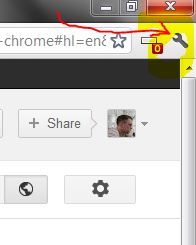
- Click the 'History' option.
- Click the 'Clear all browsing data...' button.
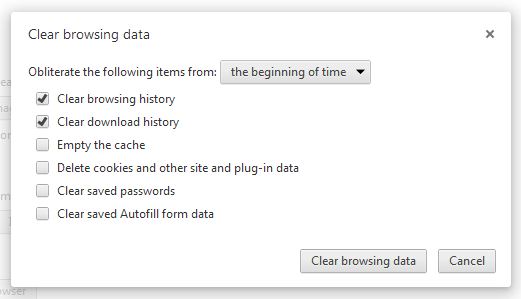
Uncheck all the options except 'Clear browsing histroy' and 'Clear download history'. - Click the 'Clear browsing data' button.



1 Comments
Great info. Lucky me I discovered your site by accident (stumbleupon). I have saved it for later!